Handling Verification Issues as a Buyer
Understanding the Verification Process
When you buy USDC or crypto through ZKP2P, the platform tries to automatically verify your payment through a zero-knowledge proof system. Sometimes this verification process can fail due to various reasons:
- The PeerAuth extension couldn't properly load your payment
- Technical issues with the payment platform
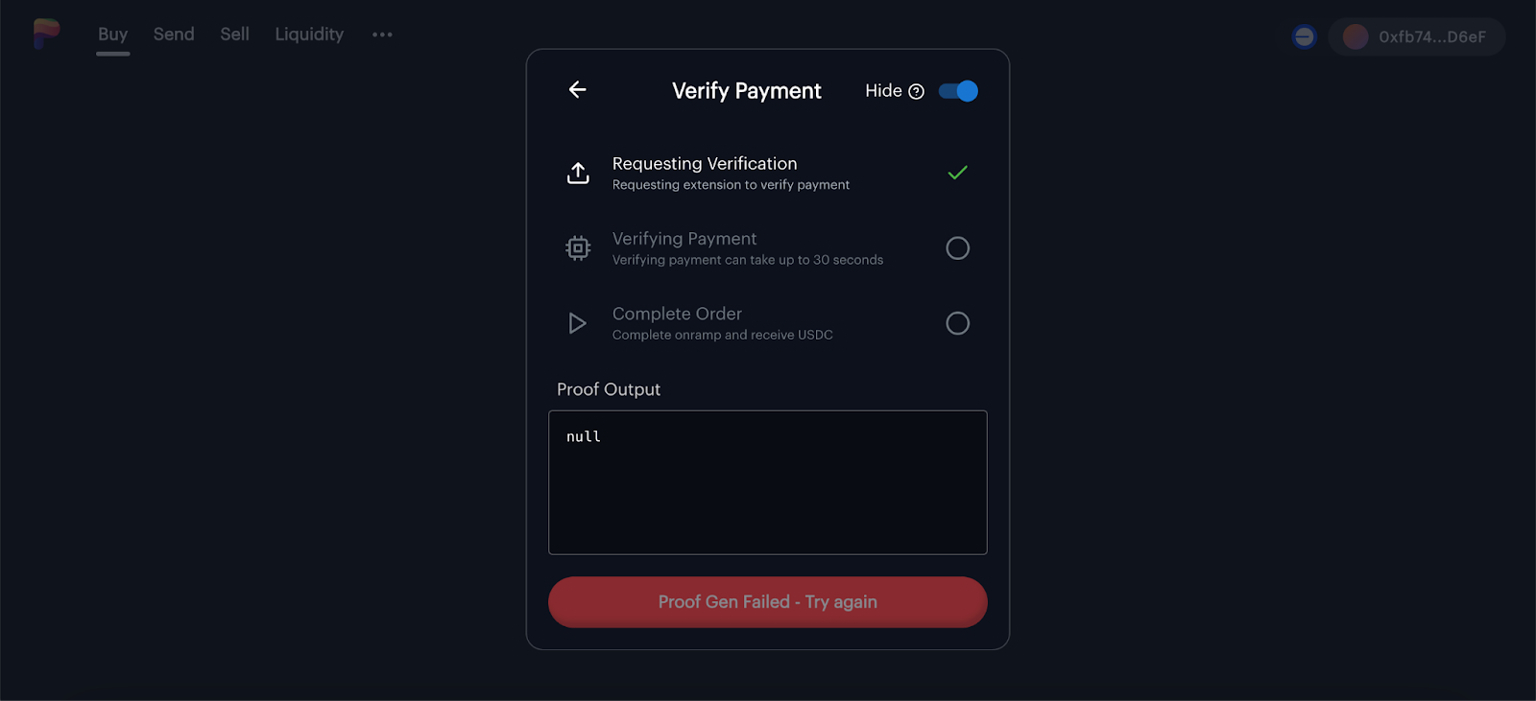
Step-by-Step: What to Do When Verification Fails
Try Again First
- Click the "Proof Gen Failed – Try again" button
- Wait 30 seconds for another verification attempt
- Sometimes a simple retry solves the issue
Check Your Extension
- Ensure the PeerAuth extension is properly installed and active
- If you just installed it, you might need to refresh the page
- The extension needs proper permissions to access your payment data
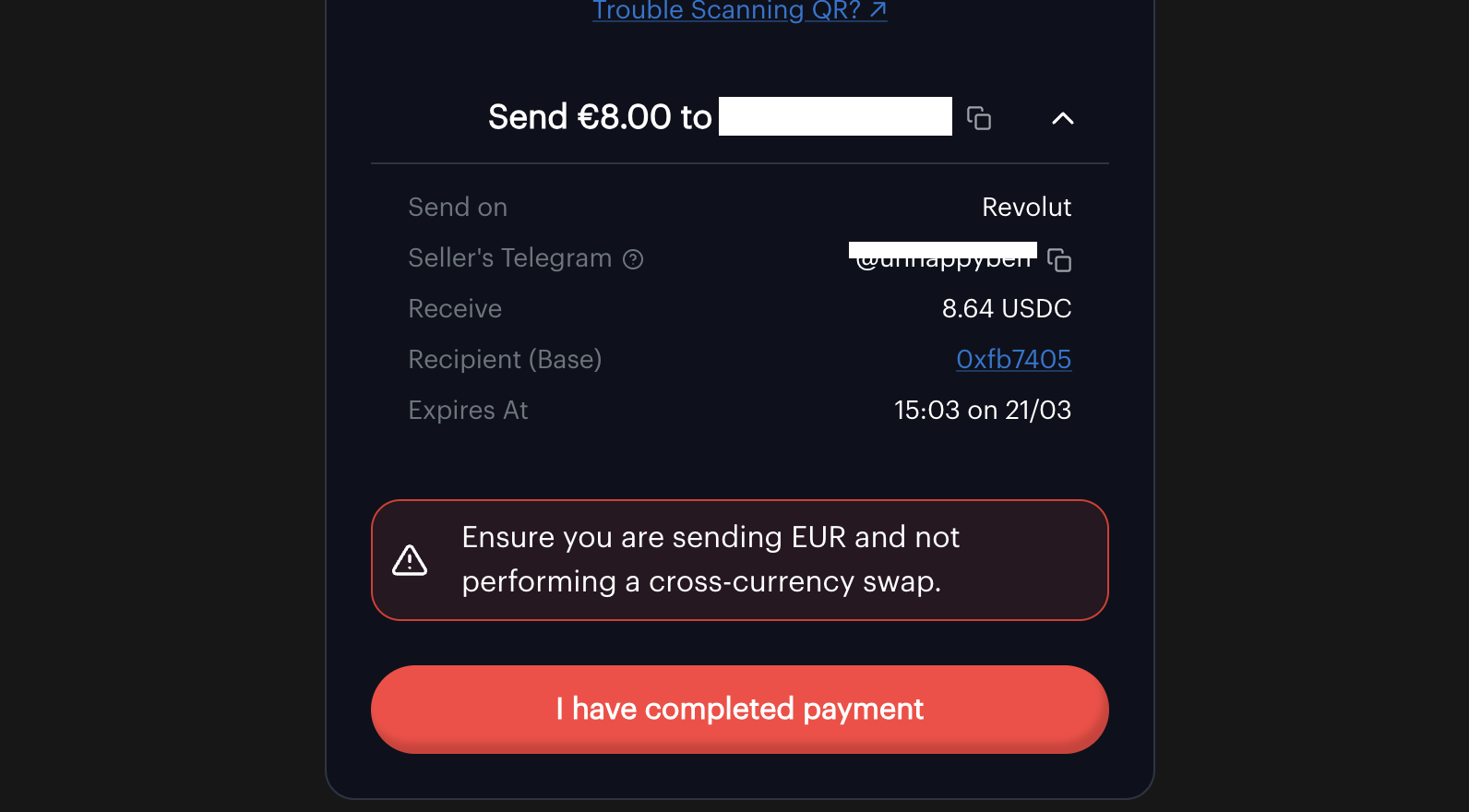
Contact the Seller or Support via Telegram
If verification continues to fail after multiple attempts:
- Contact the seller or support through Telegram
- Sellers typically list their Telegram username in their deposit details
Send the following info to the seller:
- Your order ID or transaction details
- Screenshot of your payment receipt/confirmation
- Your wallet address
- How much you are expected to pay and receive
Be Patient
- The seller may not respond immediately
- Do not cancel your payment through your payment platform while waiting
What to Expect When Contacting a Seller
- The seller will ask you to verify details about your payment
- They may request additional screenshots or information
- Once they confirm your payment, they'll manually release the funds
- The process can take some time, depending on the seller's availability
➡️ Next: For Sellers